
This blog primarily focuses on Python, data pipelines, big data SQL, and NoSQL technologies
October 06, 2025

July 05, 2025
Expend/Collapse/Swap workbooks - Tableau Dashboard template
Tableau dashboard template:
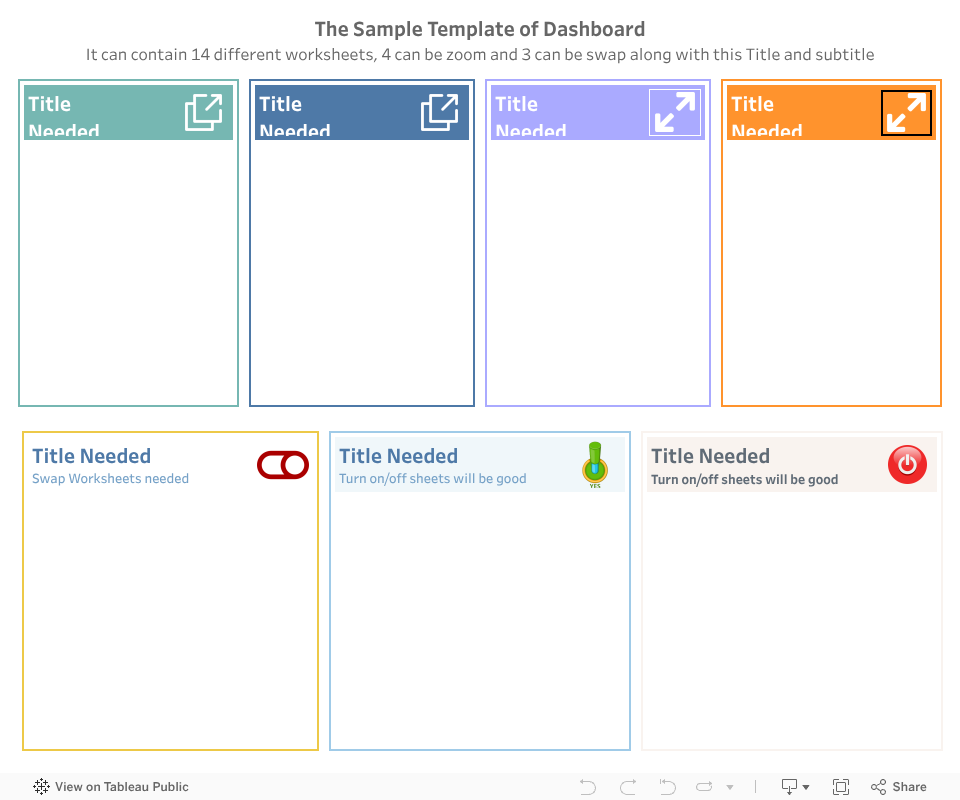
This is a one more sample dashboard that demonstrates how to use the Expand / Collapse or swap workbooks feature in Tableau. This dashboard can contain up to 14 different worksheets, whereas 4 worksheets can zoom and 3 can be swaped. The graphical , and buttons allow users to switch between different views of the data. In Collapse mode, the dashboard shows only the summary of the data, while in Expand mode, it displays detailed information. This feature is useful for managing large datasets and providing a cleaner view of the data.
Note:
This is Template Dashboard and available for sale. Feel free to comment me if anyone is interested.
July 03, 2025
Expend and Collapse - Tableau Dashboard
Expand & Collapse in tableau dashboard:
This is a sample dashboard that demonstrates how to use the Expand and Collapse feature in Tableau. And based on that the workbook is getting changed. In Collapse mode, the dashboard shows only the summary of the data, while in Expand mode, it displays detailed information. This feature is useful for managing large datasets and providing a cleaner view of the data.
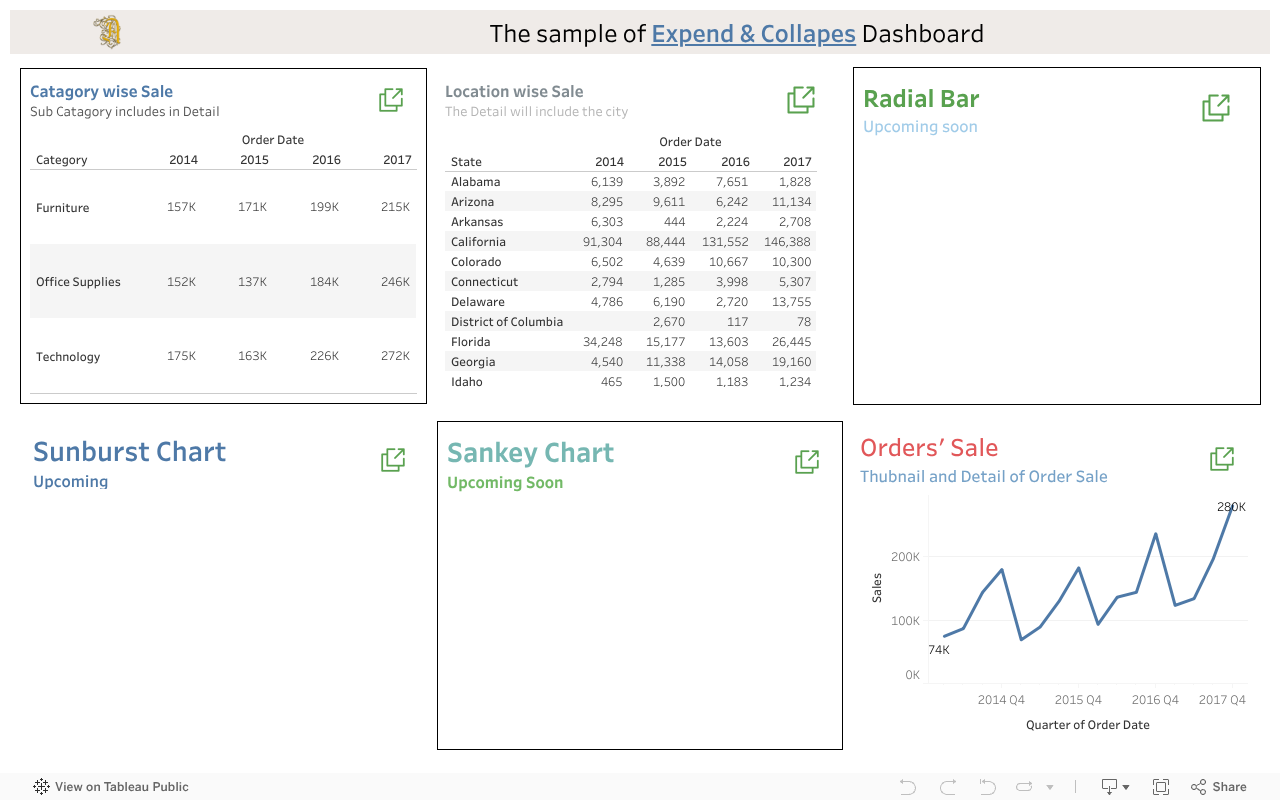
Here if you click on any expend button, you may find the columns and layout of workbook is getting changed.
I'll add detail video on this soon that help you to create these types of dashboards.
March 12, 2025
Spark Practices Chapter 3
Here in this part of the series, we will cover some basic PySpark operations.
here we'll see how to :
March 11, 2025
Spark Practices Chapter 2
RDD (Resilient Distributed Dataset)
What is RDD?
RDD is the fundamental data structure in Apache Spark. It is an immutable, distributed collection of objects that can be processed in parallel across a cluster. RDDs provide fault tolerance through lineage information, allowing Spark to recompute lost data if a node fails.
In spark, getNumPartitions() is a method used to retrieve the number of partitions in an RDD (Resilient Distributed Dataset). Partitions are the fundamental units of parallelism in Spark, and understanding the number of partitions is crucial for optimizing performance and resource utilization.
What Does getNumPartitions() Do?
- It returns an integer representing the number of partitions in the RDD.
- The getNumPartitions() method returns the total number of partitions that an RDD is divided into.
- Partitions determine how the data is distributed across the cluster and how many tasks will be executed in parallel.
- The number of partitions can impact the performance of Spark applications, as it affects the level of parallelism and the distribution of data across the cluster.
Why is it Important?
| Parallelism | Performance Tuning | Debugging |
|---|---|---|
| More partitions can lead to better parallelism, allowing Spark to utilize more CPU cores and memory across the cluster. More partitions mean more tasks can run in parallel, but too many partitions can lead to overhead. |
Understanding the number of partitions helps in tuning the
performance of Spark applications. Too few partitions may lead to
underutilization of resources, while too many partitions can cause
overhead due to task scheduling.By knowing the number of partitions,
you can optimize your Spark job by:
|
When debugging Spark applications, knowing the number of partitions can help identify issues related to data distribution and processing. It helps in understanding how the data is distributed and whether the partitioning strategy is effective. |
Key Points about getNumPartitions():
- Return Type: The method returns an integer value representing the number of partitions in the RDD.
-
Usage: You can call this method on any RDD object to
determine how many partitions it has. For example:
val numPartitions = rdd.getNumPartitions() - Importance: Knowing the number of partitions helps in understanding how data is distributed across the cluster. It can impact performance, as having too few partitions may lead to underutilization of resources, while too many partitions can cause overhead due to task scheduling.
-
Default Behavior: When an RDD is created, Spark
automatically determines the number of partitions based on the input
data source and the cluster configuration. However, you can also
specify the number of partitions explicitly when creating an RDD using
methods like
parallelize()ortextFile().
Example Usage of getNumPartitions()
Here is a simple example of how to use the getNumPartitions() method in Spark:
          // Create an RDD from a list of numbers
          val data = List(1, 2, 3, 4, 5)
          val rdd = sc.parallelize(data, 3) // Create RDD with 3 partitions

          // Get the number of partitions
          val numPartitions = rdd.getNumPartitions()

          // Print the number of partitions
          println(s"Number of partitions: $numPartitions")
In this example, we create an RDD with 3 partitions and then use the getNumPartitions() method to retrieve and print the number of partitions.
            from pyspark import SparkContext

            # Initialize SparkContext
            sc = SparkContext("local", "RDD Example")

            # Create an RDD from a list of numbers
            data = [1, 2, 3, 4, 5, 6, 7, 8, 9, 10]
            rdd = sc.parallelize(data, 4)  # Create an RDD with 4 partitions

            # Get the number of partitions
            num_partitions = rdd.getNumPartitions()

            # Print the number of partitions
            print("Number of partitions:", num_partitions)
            # Stop the SparkContext
            sc.stop()
The output will be:
Number of partitions: 4
This indicates that the RDD has been divided into 4 partitions.
Keypoints:
- Default Partitioning:If you don't specify the number of partitions when creating an RDD, Spark uses the default value, which is typically based on the cluster configuration or the size of the input data.
-
Repartitioning:You can change the number of partitions using methods
like
repartition()orcoalesce().rdd_repartitioned = rdd.repartition(8) # Increase partitions to 8 print("New number of partitions:", rdd_repartitioned.getNumPartitions()) - The number of partitions can impact the performance of Spark applications, as it affects the level of parallelism and resource utilization.
- Understanding the number of partitions helps in tuning the performance of Spark applications by optimizing resource usage and minimizing overhead.
- Knowing the number of partitions can also aid in debugging Spark applications by identifying issues related to data distribution and processing.
- Impact on Shuffling: Wide transformations (e.g., groupByKey, reduceByKey) may change the number of partitions due to shuffling.
When to Use getNumPartitions()?
- When you want to inspect the partitioning of your RDD.
- When you need to optimize performance by adjusting the number of partitions.
- When debugging skewed data distribution or task imbalances.
DataFrame vs RDD
DataFrames are the preferred way to work with structured data (like CSV files) in Spark because they offer optimizations and a higher-level API. RDDs are more low-level and are typically used for unstructured data or custom transformations.
Partitioning
By default, the number of partitions is determined by the size of the
data and the cluster configuration. You can adjust it using
repartition() or coalesce() methods.
Performance
Converting a DataFrame to an RDD can be useful for advanced transformations, but it may lose some of the optimizations provided by the DataFrame API.
Why Repartitioning is Important?
Repartitioning can help balance the workload across the cluster, especially if the data is skewed. It can also improve performance by reducing the amount of data shuffled during wide transformations.
- Parallelism: More partitions allow Spark to process data in parallel, improving performance.
- Resource Utilization: Proper partitioning ensures that all cluster resources (e.g., CPU cores) are utilized efficiently.
- Avoid Skew: Repartitioning can help avoid data skew, where some partitions are much larger than others.
How to Choose the Number of Partitions?
The optimal number of partitions depends on the size of the data, the cluster configuration, and the nature of the transformations being performed. A common rule of thumb is to have 2-4 partitions per CPU core in the cluster.
- Rule of Thumb: A good starting point is to have 2-4 partitions per CPU core in your cluster.
- Dataset Size: For larger datasets, increase the number of partitions to ensure each partition is of a manageable size (e.g., 128MB-1GB per partition).
- Cluster Configuration: Consider the total number of cores and memory available in your cluster.
- Experimentation: It may require some experimentation to find the optimal number of partitions for your specific workload.
Conclusion
The getNumPartitions() method is a useful tool for understanding the distribution of data in an RDD and optimizing Spark applications for better performance.
The Sample Code
March 09, 2025
Spark Practices
What is Spark?
Spark is an Open-Source Unified Computing Engine with set of libraries for parallel data processing on Computer Cluster.
It supports widely used Programming languages such as:
· Scala
· Python
· Java
· R
It processes data in memory (RAM) which makes it 100 times faster than traditional Hadoop Map Reduce.
The Spark Components
The following represents Spark Components on High level
· Low Level API — RDD & Distributed Variables
· Structured API — Data-Frames, Datasets and SOL
· Libraries and Ecosystem, Structured Streaming and Advanced Analytics
|
LIBRARIES & ECOSYSTEM |
||||
|
|
STRUCTURED API |
|
||
|
|
LOW LEVEL API |
|
||
The way that Spark works
JOBs, Stages & Tasks
|
Job |
➡️ |
Stage 1 |
➡️ |
Task 1 |
|
➡️ |
Task 2 |
|||
|
➡️ |
State 2 |
➡️ |
Task 3 |
Driver :
· Heart of the Spark Application : The driver is the central component of a Spark application. It is responsible for coordinating and managing the overall execution of the application.
· Manages Executor Information and State : The driver keeps track of the status and details of all executors, ensuring efficient resource utilization and task allocation.
· Analyzes, Distributes, and Schedules Work : The driver analyzes the job, breaks it down into smaller units of work (stages and tasks), and schedules these tasks across the available executors.
Executor :
· Executes the Code : Executors are responsible for running the tasks assigned to them by the driver. They execute the actual computation on the data.
· Reports Execution Status to the Driver : Executors continuously communicate with the driver, providing updates on the status of task execution and any issues encountered.
Workflow :
· A user submits a job to the driver.
· The driver analyzes the job, divides it into stages and tasks, and assigns these tasks to the executors.
· Executors are JVM processes running on cluster machines. They host cores, which are responsible for executing tasks.
· Each executor can run multiple tasks in parallel, depending on the number of cores available.
Key Notes :
· Task and Partition Relationship : Each task can process only one partition of data at a time. This ensures efficient and parallel data processing.
· Parallel Execution : Tasks can be executed in parallel, allowing Spark to handle large-scale data processing efficiently.
· Executors as JVM Processes : Executors are JVM processes running on cluster machines. They are responsible for executing tasks and managing resources.
· Core and Task Execution : Each executor hosts multiple cores, and each core can run one task at a time. This design enables high concurrency and optimal resource utilization.
· Partition : To enable parallel processing across executors, Spark divides the data into smaller chunks called partitions. Each partition is processed independently, allowing multiple executors to work simultaneously.
· Transformation : A transformation is an operation or instruction that modifies or transforms the data. Transformations are used to build the logical execution plan in Spark. Examples include "select", "where", "groupBy", etc.
o Types of Transformations :
§ Narrow Transformation :
· In this type, each input partition contributes to at most one output partition.
· Examples: "map", "filter".
· These transformations do not require data shuffling across the cluster.
§ Wide Transformation :
· In this type, a single input partition can contribute to multiple output partitions.
· Examples: "groupBy", "join", "reduceByKey".
· These transformations often involve data shuffling, which can be resource intensive.
· Actions : An action triggers the execution of the logical plan created by transformations. Actions initiate the actual computation and return results to the driver or write data to an output source.
o Types of Actions :
o View Data in Console : Actions like "show()" or "display()" allow you to view data in the console.
o Collect Data to Native Language : Actions like "collect()" or "take()" bring data back to the driver program in the native language (e.g., Python, Scala).
o Write Data to Output Data Sources : Actions like "write.csv()", "write.parquet()", or "saveAsTable()" save the processed data to external storage systems.
ℹ️ Lazy Evaluation in Spark : Spark employs lazy evaluation, meaning it delays the execution of transformations until an action is called. This allows Spark to:
o Optimize the execution plan.
o Combine multiple operations for efficiency.
o Use cluster resources effectively.
o By waiting until the last moment to execute, Spark ensures optimal performance and resource utilization.
· Spark Session :
o Driver Process as Spark Session : The Spark Session is the driver process and serves as the entry point for any Spark application.
o Entry Point for Execution : It is the starting point for interacting with Spark's functionalities, such as reading data, executing transformations, and triggering actions.
o Cluster Execution : The Spark Session instance executes the code on the cluster, coordinating tasks and managing resources.
o One-to-One Relationship : There is a one-to-one relationship between a Spark Application and a Spark Session. For every Spark Application, there is exactly one Spark Session instance.
Here are some basic commands of Python pySpark that will help you to know about this language. I will keep posting other nodes too soon on this section.
The Basic Code ⬇️
What is Spark?
Spark is an Open-Source Unified Computing Engine with set of libraries for parallel data processing on Computer Cluster.
It supports widely used Programming languages such as:
· Scala
· Python
· Java
· R
It processes data in memory (RAM) which makes it 100 times faster than traditional Hadoop Map Reduce.
The Spark Components
The following represents Spark Components on High level
· Low Level API — RDD & Distributed Variables
· Structured API — Data-Frames, Datasets and SOL
· Libraries and Ecosystem, Structured Streaming and Advanced Analytics
|
LIBRARIES & ECOSYSTEM |
||||
|
|
STRUCTURED API |
|
||
|
|
LOW LEVEL API |
|
||
The way that Spark works
JOBs, Stages & Tasks
|
Job |
➡️ |
Stage 1 |
➡️ |
Task 1 |
|
➡️ |
Task 2 |
|||
|
➡️ |
State 2 |
➡️ |
Task 3 |
Driver :
· Heart of the Spark Application : The driver is the central component of a Spark application. It is responsible for coordinating and managing the overall execution of the application.
· Manages Executor Information and State : The driver keeps track of the status and details of all executors, ensuring efficient resource utilization and task allocation.
· Analyzes, Distributes, and Schedules Work : The driver analyzes the job, breaks it down into smaller units of work (stages and tasks), and schedules these tasks across the available executors.
Executor :
· Executes the Code : Executors are responsible for running the tasks assigned to them by the driver. They execute the actual computation on the data.
· Reports Execution Status to the Driver : Executors continuously communicate with the driver, providing updates on the status of task execution and any issues encountered.
Workflow :
· A user submits a job to the driver.
· The driver analyzes the job, divides it into stages and tasks, and assigns these tasks to the executors.
· Executors are JVM processes running on cluster machines. They host cores, which are responsible for executing tasks.
· Each executor can run multiple tasks in parallel, depending on the number of cores available.
Key Notes :
· Task and Partition Relationship : Each task can process only one partition of data at a time. This ensures efficient and parallel data processing.
· Parallel Execution : Tasks can be executed in parallel, allowing Spark to handle large-scale data processing efficiently.
· Executors as JVM Processes : Executors are JVM processes running on cluster machines. They are responsible for executing tasks and managing resources.
· Core and Task Execution : Each executor hosts multiple cores, and each core can run one task at a time. This design enables high concurrency and optimal resource utilization.
· Partition : To enable parallel processing across executors, Spark divides the data into smaller chunks called partitions. Each partition is processed independently, allowing multiple executors to work simultaneously.
· Transformation : A transformation is an operation or instruction that modifies or transforms the data. Transformations are used to build the logical execution plan in Spark. Examples include "select", "where", "groupBy", etc.
o Types of Transformations :
§ Narrow Transformation :
· In this type, each input partition contributes to at most one output partition.
· Examples: "map", "filter".
· These transformations do not require data shuffling across the cluster.
§ Wide Transformation :
· In this type, a single input partition can contribute to multiple output partitions.
· Examples: "groupBy", "join", "reduceByKey".
· These transformations often involve data shuffling, which can be resource intensive.
· Actions : An action triggers the execution of the logical plan created by transformations. Actions initiate the actual computation and return results to the driver or write data to an output source.
o Types of Actions :
o View Data in Console : Actions like "show()" or "display()" allow you to view data in the console.
o Collect Data to Native Language : Actions like "collect()" or "take()" bring data back to the driver program in the native language (e.g., Python, Scala).
o Write Data to Output Data Sources : Actions like "write.csv()", "write.parquet()", or "saveAsTable()" save the processed data to external storage systems.
ℹ️ Lazy Evaluation in Spark : Spark employs lazy evaluation, meaning it delays the execution of transformations until an action is called. This allows Spark to:
o Optimize the execution plan.
o Combine multiple operations for efficiency.
o Use cluster resources effectively.
o By waiting until the last moment to execute, Spark ensures optimal performance and resource utilization.
· Spark Session :
o Driver Process as Spark Session : The Spark Session is the driver process and serves as the entry point for any Spark application.
o Entry Point for Execution : It is the starting point for interacting with Spark's functionalities, such as reading data, executing transformations, and triggering actions.
o Cluster Execution : The Spark Session instance executes the code on the cluster, coordinating tasks and managing resources.
o One-to-One Relationship : There is a one-to-one relationship between a Spark Application and a Spark Session. For every Spark Application, there is exactly one Spark Session instance.
Here are some basic commands of Python pySpark that will help you to know about this language. I will keep posting other nodes too soon on this section.
The Basic Code ⬇️
Subscribe to:
Comments (Atom)